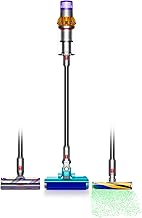
Maintaining peak suction power and air quality in your cordless vacuum hinges on one critical, often overlooked component: the filter. For owners of the powerful Dyson V15 Detect and its V11 siblings, understanding filter care is essential for longevity and performance. This comprehensive guide dives into everything you need to know about Dyson V15 Detect filter replacement, from recognizing the signs of a clogged filter to choosing the right HEPA vacuum filter replacements.
As a professional cleaner with over a decade of experience testing high-end vacuums, I've seen firsthand how a simple filter change can resurrect a machine that seems to have lost its power. The Dyson V15 Detect, with its laser dust detection and high-torque cleaner head, is a marvel of engineering, but its sophisticated cyclone system relies on a clean filter to maintain the airflow necessary for deep cleaning. Neglecting this part doesn't just reduce suction; it can strain the motor and shorten the vacuum's lifespan.
Why Your Dyson Filter Needs Regular Replacement
Dyson cordless vacuums use a sealed HEPA filtration system designed to trap 99.97% of particles as small as 0.3 microns. This includes pollen, mold spores, and even bacteria, making them excellent for allergy sufferers. However, this efficiency comes with a trade-off: the filter gets dirty. Over time, a layer of fine dust and debris builds up, creating resistance that the motor must work harder to overcome. The result? Noticeably weaker suction, shorter battery run times, and in some cases, the vacuum may even pulse or cut out as a safety precaution against motor overload.
Unlike a bag that you simply throw away, a filter is a reusable component—but not indefinitely. Dyson recommends washing the filter with cold water at least once a month and letting it dry for a full 24 hours. Even with perfect care, the filter media will eventually degrade. Microfibers break down, and the HEPA material can become permanently impacted with oils and ultra-fine dust that washing cannot remove. This is why having a 3-pack of vacuum filters on hand is a smart strategy for any Dyson owner, ensuring you always have a clean, dry filter ready to go.
Identifying the Correct Filter for Your Dyson Model
Compatibility is key. The filter for the Dyson V15 Detect, often referenced by part number 970013-02, is also shared across the entire V11 series, including the V11 Animal, V11 Torque Drive, and V11 Origin. This interchangeability is a huge benefit for households with multiple Dyson models or for those who upgrade. When shopping for replacements, you'll often see them labeled as "compatible with" these models. It's crucial to verify this compatibility, as using an incorrect filter can compromise the vacuum's seal and filtration performance.
Genuine Dyson filters are excellent but can be a significant recurring cost. This is where high-quality compatible Dyson parts come into play. A well-made third-party filter, like a 970013-02 replacement, should match the original in every dimension and use a true HEPA-grade material. The best ones undergo independent testing to certify their filtration efficiency. Investing in a multi-pack not only saves money per unit but also guarantees you're never caught without a clean filter, making routine maintenance effortless.
Step-by-Step Guide to Replacing Your Dyson Filter
1. Locate and Remove the Old Filter: On the Dyson V15 Detect, the filter is housed in a cyan-colored compartment at the top of the vacuum, just behind the bin. To remove it, simply twist the filter counter-clockwise and pull it straight out. If it's stuck, a firm, steady pull should do the trick—avoid using excessive force that could damage the housing.
2. Inspect and Clean (If Applicable): Before discarding an old filter, check if it's truly at the end of its life. If it's only superficially dirty, you can attempt to clean it. Rinse it under cold running water, gently massaging the pleats to dislodge dust. Never use detergents, hot water, or put it in a dishwasher, as this can damage the material. The most critical step is drying: let it air dry naturally for a minimum of 24 hours in a well-ventilated area. Do not use a hairdryer or place it near a heater.
3. Install the New Filter: Take your new replacement filter—like one from a reliable 3-pack vacuum filters replacement set. Ensure it is completely dry. Align the tabs on the filter with the slots in the vacuum's filter housing and push it in. Then, twist it clockwise until it clicks securely into place. A proper seal is vital; if it's not seated correctly, the vacuum may not run at all.
4. Reset the Filter Maintenance Indicator (V15 Detect Specific): One of the smart features of the Dyson V15 Detect is its filter maintenance reminder on the LCD screen. After installing a new filter, you need to reset this counter. Hold down the power button for 10-15 seconds while the vacuum is turned on. You should see the filter icon on the screen reset, indicating the maintenance cycle has started anew.
Common Mistakes and How to Avoid Them
Even with the best intentions, owners often make simple errors that affect performance. The number one mistake is using a damp filter. Inserting a filter that isn't 100% dry can cause moisture to be sucked into the motor, leading to catastrophic damage and voiding your warranty. Always have a spare, dry filter ready—this is the primary advantage of purchasing a multi-pack.
Another common error is forgetting to reset the filter maintenance indicator. While the vacuum will still function, you'll lose the helpful reminder system designed to keep your machine in top shape. Finally, avoid the temptation to "tap out" the filter instead of washing it. Tapping only removes loose debris; it does not clear the deep-seated, fine dust that clogs the HEPA material and causes airflow restriction.
Maximizing Your Dyson's Performance and Lifespan
Regular filter replacement is the cornerstone of vacuum care, but it's part of a larger ecosystem. For optimal Dyson V11 filter and V15 performance, also ensure you regularly empty the bin before it reaches the MAX line and clear any blockages from the wand, hose, and cleaner head. Check the brush bar for tangled hair and debris after every few uses, especially if you have pets.
Storing your vacuum properly also matters. Keep it in a dry place, and if storing for an extended period, remove the battery. By combining diligent filter maintenance with these other care steps, you protect your investment and ensure your Dyson V15 Detect continues to deliver the powerful, hygienic clean you bought it for, year after year. Keeping a vacuum filter replacement on your shelf is not just a purchase; it's an insurance policy for your machine's health.